

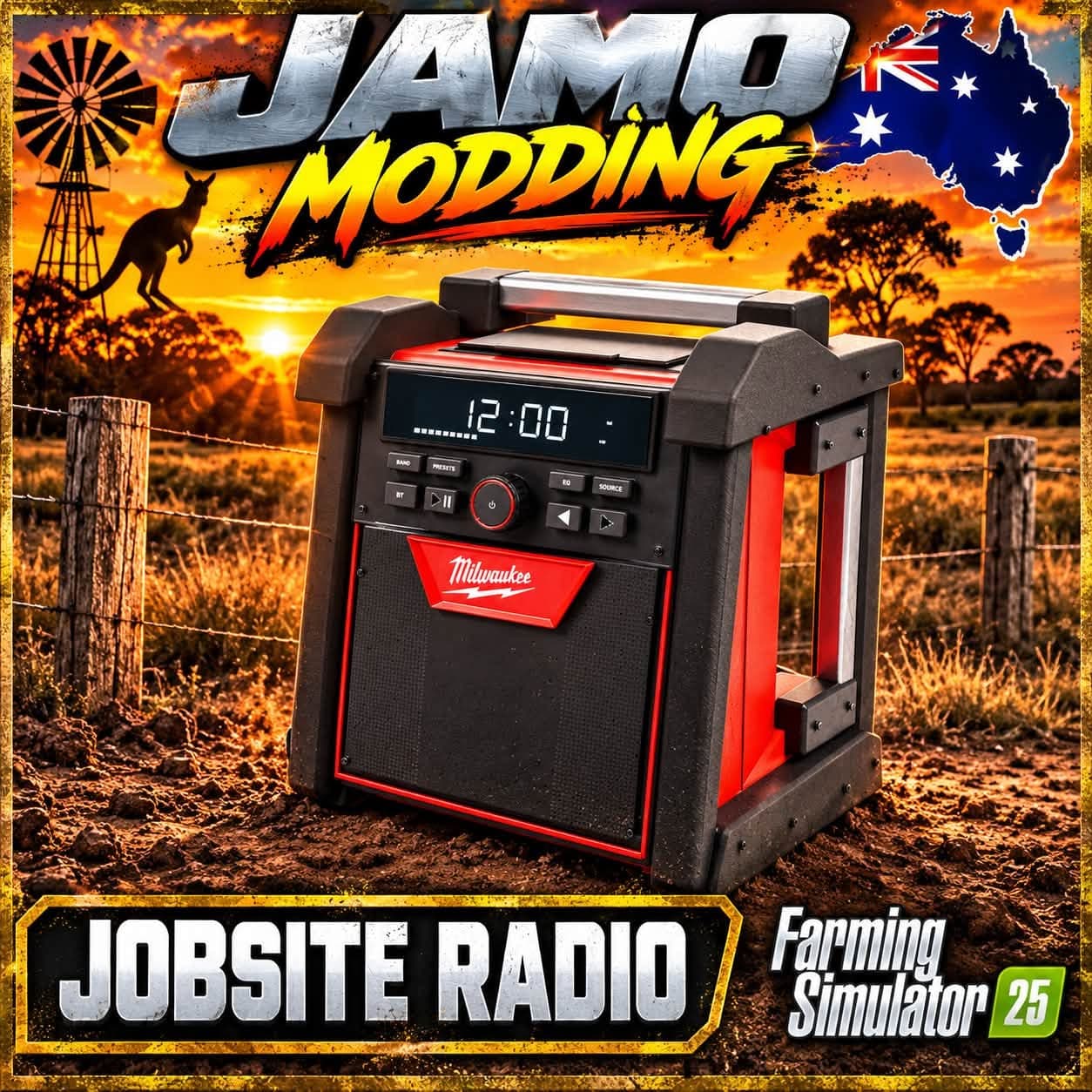
Description
INSTALL
Close FS25. Back up and replace FS25_JamoJobsiteRadio.zip in your mods
folder. Leave it zipped. Enable the radio and FS25_interactiveControl.
All multiplayer players must use the same versions and playlist files.
INTERACTIVE CONTROL
Stand near the radio on foot. Activate Interactive Control using your
configured IC binding, then aim at and click the five front buttons:
Top centre: power on/off
Middle left/right: volume down/up in 10% steps
Lower left/right: previous/next track
The hovered control displays its action; volume buttons show the current
percentage and track buttons show the current song. There is no radio
menu or R activation prompt. Enable FS25_interactiveControl for controls.
Power, volume and selected song save with each individual radio.
Changing volume does not restart the song. Changing tracks starts the
new selection immediately if on; an off radio stays off.
The selected song loops until you choose another track.
Use normal empty-hand pickup controls to carry or place the 6 kg radio.
PLAYLIST AND ADDING MUSIC
The only bundled track is the original JAMO demo instrumental.
Add your own mono OGG/WAV files to sounds/myMusic/ and list them in
config/playlist.xml. Read ADD_YOUR_MUSIC.txt for examples and ZIP steps.
The next/previous IC buttons cycle through your playlist.
AUDIO
Volume 0-100%, default 70%. Full nearby volume within 2 m, attenuating
toward silence at 40 m. The emitter follows the radio. Native 3D audio
applies the distance fade once. The game's Vehicle sound slider still
affects overall loudness. The demo audio is normalized.
MODEL AND CHECKS
Retains the rebuilt realistic model, pickup behaviour and textured finish.
Display, antenna and charger features remain cosmetic.
XML, playlist references, audio decoding and archive checks were completed.
This build still needs in-game testing of IC targeting, song switching,
save/reload and multiplayer behaviour.
BRANDED ICONS
Matching JAMO sunset artwork is used for the shop image (512 px) and
mod selection icon (256 px), both with DDS mipmaps.
CONTROL MARKERS
All five X markers now use size 0.040, the Interactive Control default.
This is over twice the previous size, with correspondingly larger click
areas. Use the configured IC click binding while pointing at a marker.
CLOSE-RANGE CONTROLS
Stand within 1.5 metres horizontally of the radio to operate its IC
buttons. Vertical allowance is 2 metres for radios on a truck bed.
The large X markers and 2-40 metre audio distance fade are retained.
Close FS25. Back up and replace FS25_JamoJobsiteRadio.zip in your mods
folder. Leave it zipped. Enable the radio and FS25_interactiveControl.
All multiplayer players must use the same versions and playlist files.
INTERACTIVE CONTROL
Stand near the radio on foot. Activate Interactive Control using your
configured IC binding, then aim at and click the five front buttons:
Top centre: power on/off
Middle left/right: volume down/up in 10% steps
Lower left/right: previous/next track
The hovered control displays its action; volume buttons show the current
percentage and track buttons show the current song. There is no radio
menu or R activation prompt. Enable FS25_interactiveControl for controls.
Power, volume and selected song save with each individual radio.
Changing volume does not restart the song. Changing tracks starts the
new selection immediately if on; an off radio stays off.
The selected song loops until you choose another track.
Use normal empty-hand pickup controls to carry or place the 6 kg radio.
PLAYLIST AND ADDING MUSIC
The only bundled track is the original JAMO demo instrumental.
Add your own mono OGG/WAV files to sounds/myMusic/ and list them in
config/playlist.xml. Read ADD_YOUR_MUSIC.txt for examples and ZIP steps.
The next/previous IC buttons cycle through your playlist.
AUDIO
Volume 0-100%, default 70%. Full nearby volume within 2 m, attenuating
toward silence at 40 m. The emitter follows the radio. Native 3D audio
applies the distance fade once. The game's Vehicle sound slider still
affects overall loudness. The demo audio is normalized.
MODEL AND CHECKS
Retains the rebuilt realistic model, pickup behaviour and textured finish.
Display, antenna and charger features remain cosmetic.
XML, playlist references, audio decoding and archive checks were completed.
This build still needs in-game testing of IC targeting, song switching,
save/reload and multiplayer behaviour.
BRANDED ICONS
Matching JAMO sunset artwork is used for the shop image (512 px) and
mod selection icon (256 px), both with DDS mipmaps.
CONTROL MARKERS
All five X markers now use size 0.040, the Interactive Control default.
This is over twice the previous size, with correspondingly larger click
areas. Use the configured IC click binding while pointing at a marker.
CLOSE-RANGE CONTROLS
Stand within 1.5 metres horizontally of the radio to operate its IC
buttons. Vertical allowance is 2 metres for radios on a truck bed.
The large X markers and 2-40 metre audio distance fade are retained.
Credits
JAMO MODDING
Files
12.7 MB
Primary0 Downloads
Comments
Login to leave a commentDownload
Version:1.4
File size:12.7 MB
Downloads:0
Rating
Rating
0Rate this mod
Views
5