

Point traffic where it needs to go
0
3 downloads
November 14, 2026
Description
Converted to FS25 from the original FS22 mod by Poohbear Lance, with the same look, lights and modes as the FS22 original.
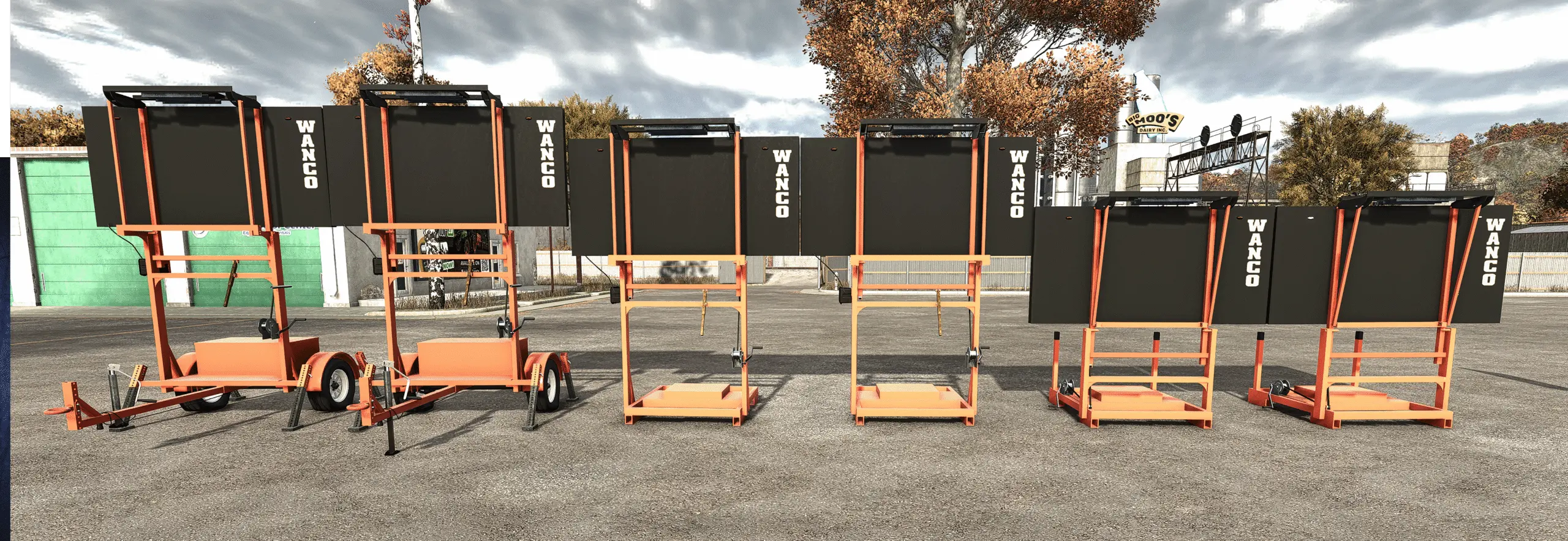
This mod adds WANCO-style arrow boards to Farming Simulator 25. They’re the flashing lane-closure signs you see at road work, lane shifts and shoulder closures. Park one behind your work zone and guide traffic around your crew.
This mod adds WANCO-style arrow boards to Farming Simulator 25. They’re the flashing lane-closure signs you see at road work, lane shifts and shoulder closures. Park one behind your work zone and guide traffic around your crew.
Features
- WANCO-style arrow board trailer with a folding board
- Low-profile skid version for truck beds and tight spaces
- Tall skid version for better visibility over traffic
- 15-light or 25-light board on every version, chosen in the shop
- Six display modes:
- Arrow Left
- Arrow Right
- Both Arrows
- Caution
- Middle
- Moving Arrow Left
- Moving Arrows Both
- Moving Tri Arrow Left
- Moving Tri Arrow Right
- Moving Arrow Right
- Tri Arrow Left
- Tri Arrow Right
- Diamond Flash
- Diamond Warning
- Works alongside the WANCO Automated Flagger for a full work zone setup
FS25 conversion
- Rebuilt for FS25 to match the FS22 original as closely as possible
- Amber lamp colors restored to match FS22
- Fixed stray line and stretching glitches on the board and the skid version
- Fixed WANCO logos
Requirements
- Interactive Control (FS25) is required for the leg and sign click controls, the same as in FS22.
Details
- Game version: Farming Simulator 25
- Platform: PC/Mac
- In-game shop prices:
- Trailer, 15-light board: $6,541
- Trailer, 25-light board: $7,041
- Low-profile skid, 15-light board: $3,701
- Low-profile skid, 25-light board: $4,201
- Tall skid, 15-light board: $3,541
- Tall skid, 25-light board: $4,041
- Multiplayer: Untested
Installation
- Download
FS25_WANCO_Arrow_Board.zip. - Do not unzip it. Put the zip in your mods folder:
- Windows:
Documents\My Games\FarmingSimulator2025\mods - Mac:
~/Library/Application Support/FarmingSimulator2025/mods
- Windows:
- Turn the mod on in your savegame’s mod selection.
- Buy it in the shop.
- Download
FS25_interactiveControl.zip. - Do not unzip it. Put the zip in your mods folder:
- Windows:
Documents\My Games\FarmingSimulator2025\mods - Mac:
~/Library/Application Support/FarmingSimulator2025/mods - Turn the mod on in your savegame’s mod selection.
Credits
Original FS22 mod: Poohbear Lance FS25 conversion: bubbashep2005 Original design reference: WANCO Inc. arrow boards Game: Farming Simulator 25 by GIANTS Software
Files
9.8 MB
Primary3 Downloads
Required Mods

Comments
Login to leave a commentDownload
Version:1.0.0.2
File size:9.8 MB
Downloads:3
Rating
Rating
0Rate this mod
Views
5