
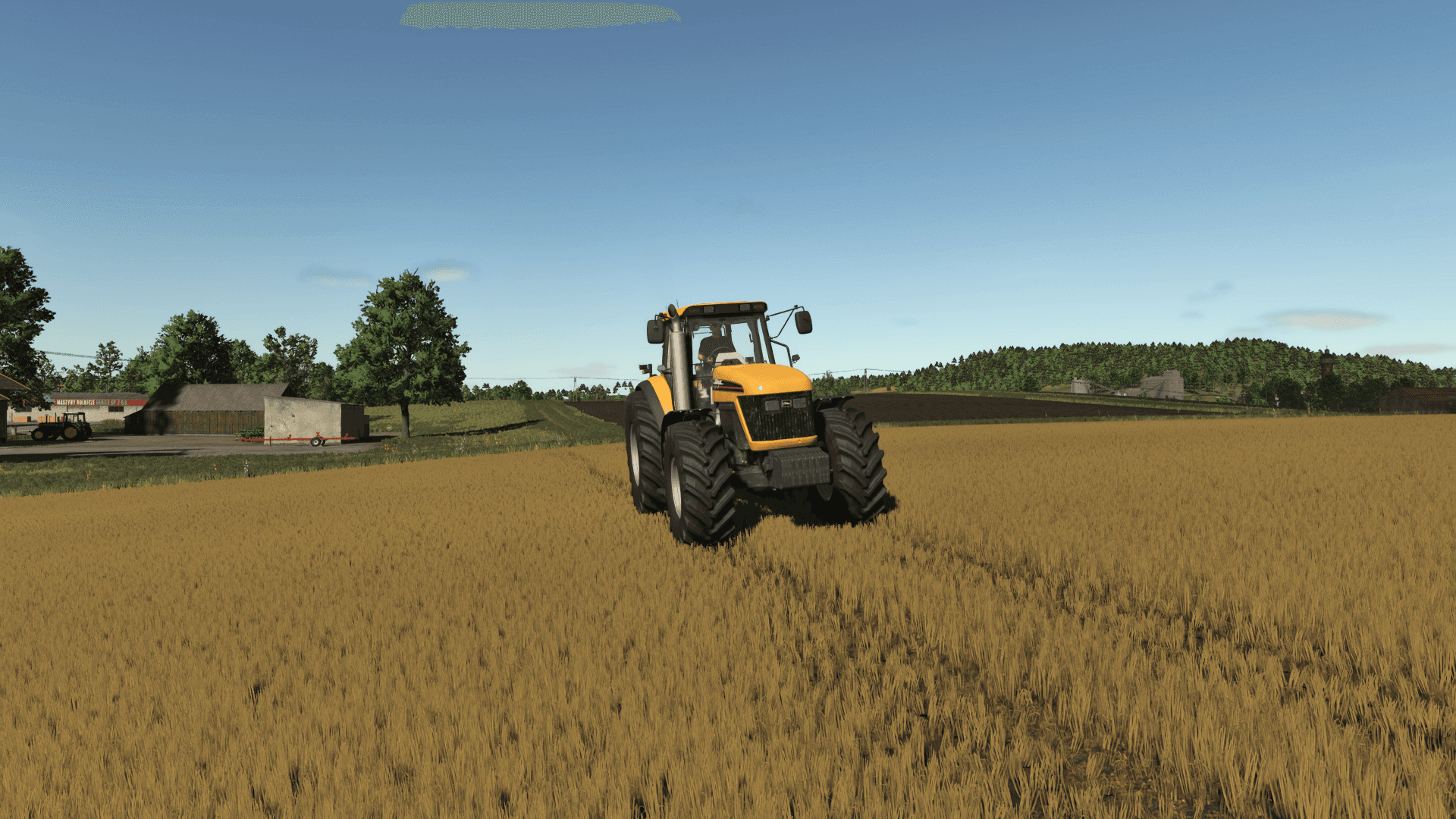
Description
Improved Dirt Textures is a Farming Simulator 25 Mud & Ground mod from Sumro Gaming, and this page is written to explain the release before a player opens the download source. Improved Dirt Textures is a visual replacement mod for Farming Simulator 25. It installs only three custom non-metallic dirt texture images while the mod is enabled: dirt_diffuse.dds, dirt_normal.dds, and dirt_specular.dds. These files are copied into the same base-game folder where the texture set works when installed manually: data/shared/detailLibrary/nonMetallic.
Improved Dirt Textures is an original Sumro Gaming Mud & Ground mod for Farming Simulator 25. It is made for players who want stronger ground realism, clearer terrain feedback, and more believable field movement. The main purpose is simple: Improved Dirt Textures is a visual replacement mod for Farming Simulator 25. It installs only three custom non-metallic dirt texture images while the.
For Improved Dirt Textures, the important question is not only whether the file exists, but what the mod changes, when it is useful, and how safely it can be tested on a real save.
Non Metallic Dirt Texture Features
Improved Dirt Textures focuses on this feature set: Replaces the non-metallic dirt diffuse, normal, and specular texture images while active, Backs up the original base-game dirt texture files before replacing them, and Restores the original dirt textures after the mission or game closes. It installs custom non-metallic dirt texture images while the mod is active, backs up the original base-game dirt textures first, and restores the base-game dirt texture set after the mission or game closes.
This category is visual and gameplay-facing at the same time, so stability, frame rate, and the game log matter as much as the first screenshot. Because Improved Dirt Textures is being documented for FS25 players, the description keeps the practical gameplay result beside the technical ZIP details instead of leaving visitors with only a title and button.
Visual Dirt Texture Workflow
It belongs on realism saves where terrain feel matters, especially maps with wet yards, soft field edges, muddy tracks, forestry routes, or heavier vehicle movement. The 5 screenshots on this page show Improved Dirt Textures in-game, which helps players compare the mod visually before opening the download source. A good way to judge Improved Dirt Textures is to repeat the same job before and after enabling it, then compare the result in normal farm conditions.
For Improved Dirt Textures, the strongest signs to check are the feature behavior, the saved game after reload, and whether the rest of the mod folder still works cleanly.
Backup Restore And Setup Testing
The download button opens the external source page listed for this mod, so players should check that page before adding the file to a save. Install Improved Dirt Textures by keeping FS25_ImprovedDirtTextures.zip packed as a ZIP and placing it in Documents/My Games/FarmingSimulator2025/mods. Enable Improved Dirt Textures from the savegame mod list, load a backup save first, and avoid keeping old copies of the same file in the active mods folder.
No separate required-mod list is shown for Improved Dirt Textures, so the normal approach is to install FS25_ImprovedDirtTextures.zip by itself and then test it with the rest of the active mod folder.
Dirt Texture Compatibility Notes
Improved Dirt Textures: This mud and ground script can overlap with traction, tire-track, field-damage, soil, weather, or visual dirt mods, so add it to a backup save first and test normal driving conditions. Improved Dirt Textures multiplayer status is listed as Supported. The active gameplay logic is written in Lua, the scripting language Farming Simulator 25 uses for script mods. Lua is chosen because the game loads it directly through modDesc.xml, and using one main scripting language keeps the mod lighter, easier to update, and safer beside other scripts.
For Improved Dirt Textures, compatibility testing should include the map, any mods that touch the same gameplay area, and a save-and-reload check before the setup is trusted on a long-running farm.
Testing Notes For Improved Dirt Textures
Improved Dirt Textures: Test it on a short route that includes road, field edge, yard surface, and soft ground so the change can be judged in more than one condition. While testing Improved Dirt Textures, change only one thing at a time and write down the map name, game version, mod version, and other active scripts that affect mud & ground gameplay. If the first test looks good, save the game, exit to the menu, reload the save, and repeat the same action once more.
For Improved Dirt Textures, that second pass helps catch restore problems, missing XML paths, delayed script errors, and visual changes that only appear after reload.
Improved Dirt Textures Final Advice
Improved Dirt Textures: If the ground looks wrong or traction changes too much, disable other mud, dirt, tire, field damage, weather, or terrain mods and compare the same route again. The final recommendation for Improved Dirt Textures is to use it as a focused FS25 improvement, keep one active version, and check the download source whenever an update appears. The public file name for this release is FS25_ImprovedDirtTextures.zip, and the page lists version 1.0.0.0.
If Improved Dirt Textures improves the exact job you repeat on your farm and the log stays clean, it is a safer candidate for a main save than a mod added only from a screenshot.
Improved Dirt Textures Features
Replaces the non-metallic dirt diffuse, normal, and specular texture images while active.
Backs up the original base-game dirt texture files before replacing them.
Restores the original dirt textures after the mission or game closes.
How To Install Improved Dirt Textures
Open the download page from this page and download the mod file.
Move the ZIP file into Documents/My Games/FarmingSimulator2025/mods.
Start Farming Simulator 25 and enable the mod in your savegame mod list.
For terrain, animal, or vehicle behavior scripts, test on a backup save first.
Improved Dirt Textures Changelog
Improved Dirt Textures current public version is v1.0.0.0. Keep only one copy of FS25_ImprovedDirtTextures.zip in your active Farming Simulator 25 mods folder.
Improved Dirt Textures Compatibility Notes
Improved Dirt Textures: This mud and ground script can overlap with traction, tire-track, field-damage, soil, weather, or visual dirt mods, so add it to a backup save first and test normal driving conditions.
Credits
Sumro Gaming
Files
488.2 KB
Primary1 Downloads
Total downloads including previously deleted files: 1
