
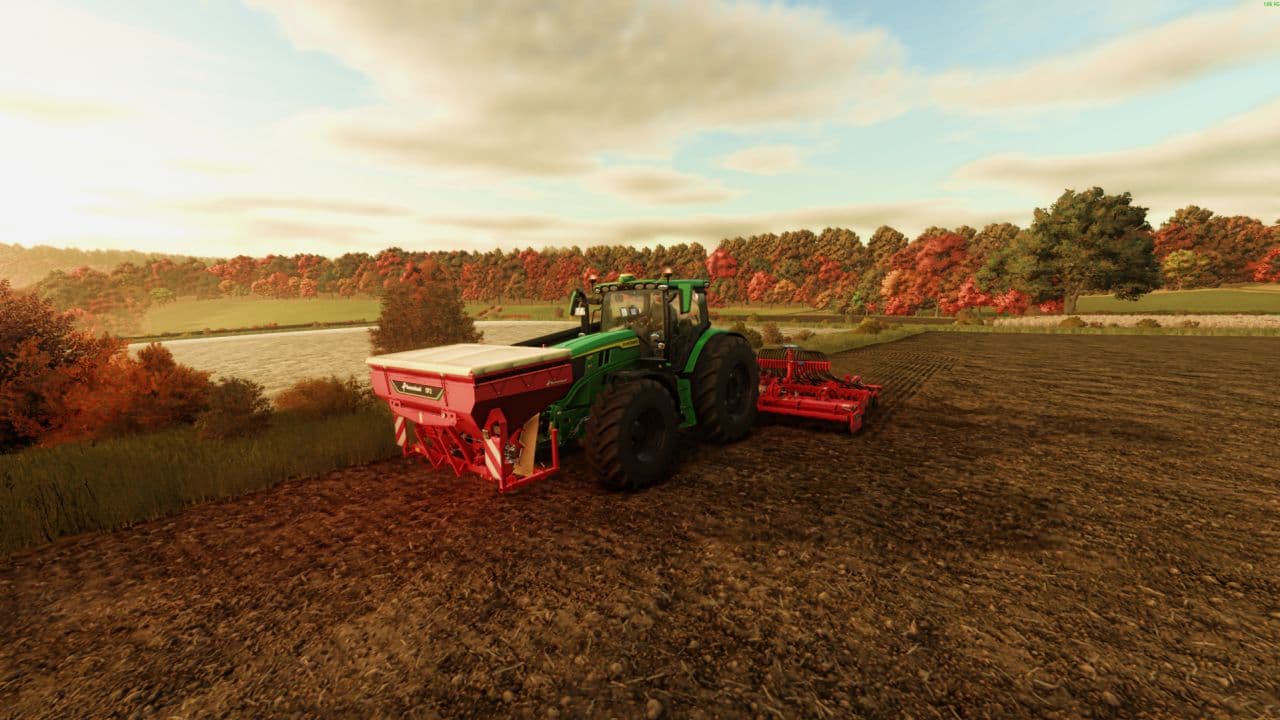
Description
We’d like to introduce you to our Reshade preset, which I use while playing Farming Simulator 25 🎮
This preset was created to provide a more realistic image, deeper colors, and a better visual atmosphere in-game ✨
📥 Installing Reshade;
Before installing the preset, you must install the official Reshade software:
https://reshade.me/#download
🛠️ Steps to install Reshade
Download and run the Reshade installer.
Click “Browse” and select the file:
FarmingSimulator2025Game.exe
Choose the API:
When installing the effects, you can leave the packs checked by default and click OK.
Once finished, close the installer.
📂 Installing the preset
Once Reshade is installed:
Download our preset.
Open the game folder:
📦 Steam version
Steam\steamapps\common\Farming Simulator 25\x64
Drag the contents of the downloaded folder into this directory.
Also place the preset’s Shader by Rouuuben.ini file in this same folder.
🎮 In-game activation
Launch the game.
Upon first launch, Reshade will display a quick tutorial.
Once in-game, press:
Home
to open the Reshade menu.
Then select the provided Shader by Rouuuben.ini.
📸 Important Information
All screenshots shown are unedited, taken directly from the game, and without any retouching 📷
About the screenshots:
The game’s brightness is set to 2,
but since every screen displays colors differently, you can of course adjust this setting to your personal preference 🎨
Credits
Rouuuben
Files
7.9 KB
Primary6 Downloads
Total downloads including previously deleted files: 6
